


gallery-1gallery-2gallery-3gallery-4gallery-5gallery-6gallery-7gallery-8gallery-9gallery-10gallery-11gallery-12gallery-13

Neurapix Culling BETA

Your choice, made easy.

Your choice, made easy.

The smart way to select your best shots directly in Lightroom Classic. Make your final call faster and keep your workflow smooth.

gallery-1gallery-2gallery-3gallery-4gallery-5gallery-6gallery-7gallery-8gallery-9gallery-10gallery-11gallery-12gallery-13gallery-14gallery-15gallery-16

How it works

Watch how AI simplifies
your image selection.

Watch how AI simplifies
your image selection.
Watch how AI simplifies
your image selection.

How it works

From import to picks in 3 steps.

From import to picks in 3 steps.
1.
Import & edit

Upload your photos into Lightroom Classic and edit them in your style. Then, start Neurapix Culling BETA and select your favorites.

2.
AI analysis

The AI sorts your shoot, grouping similar photos and burst shots. It enriches your catalog with smart features for faster selection.

3.
Instant view

See your final selection directly inside Lightroom Classic - no waiting time or annoying middle steps.

See your final selection directly inside Lightroom Classic - no waiting time or annoying middle steps.

Feature spotlight

Smarter tools for a faster workflow

Smarter tools for a faster workflow

Sharpest eye

Sharpest eye

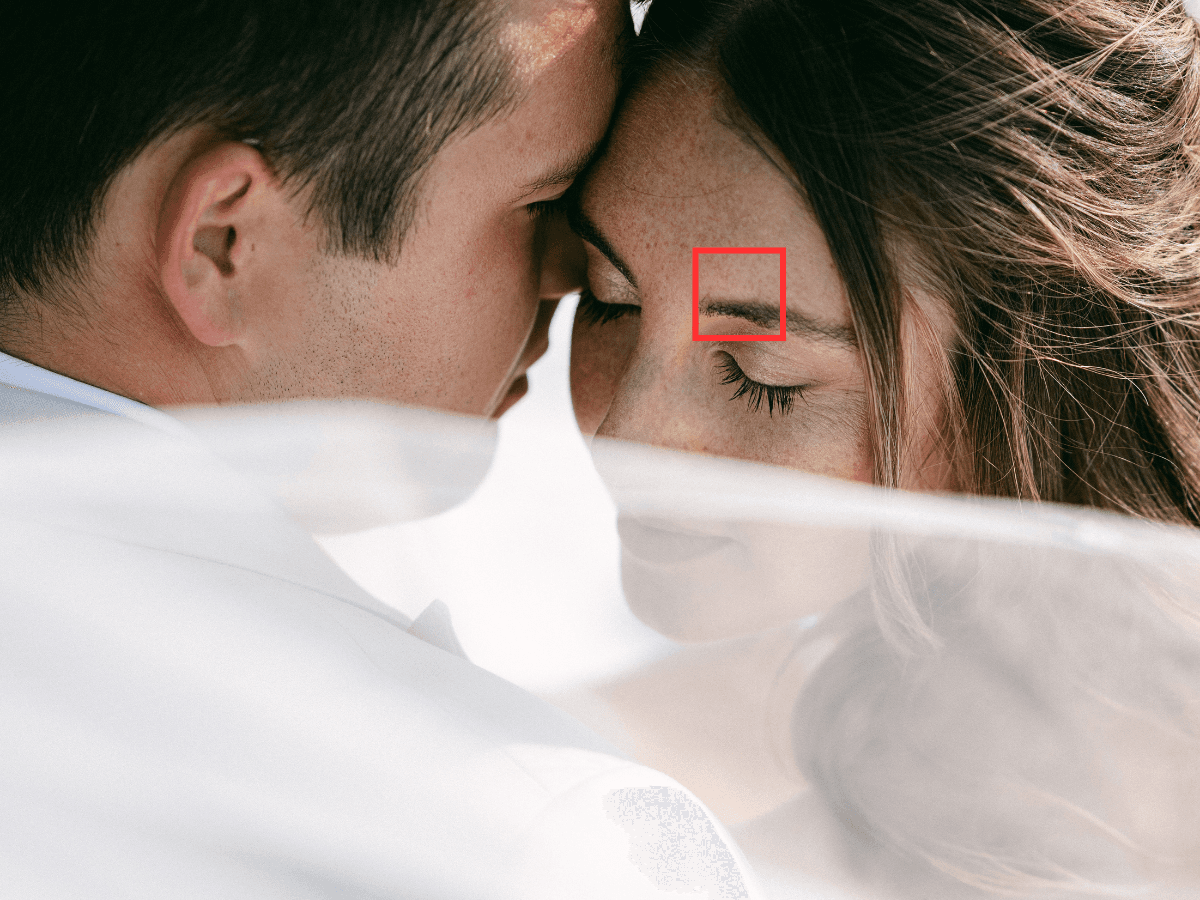
Pinpoints the sharpest eye in the photo in a dedicated detail view, making quality checks faster and more precise.

Pinpoints the sharpest eye in the photo in a dedicated detail view, making quality checks faster and more precise.

Sharpest eye

Grouping

AI detects burst shots and near-identical photos automatically and groups them into neat stacks. Quickly compare similar frames and pick your favorites

Focus points

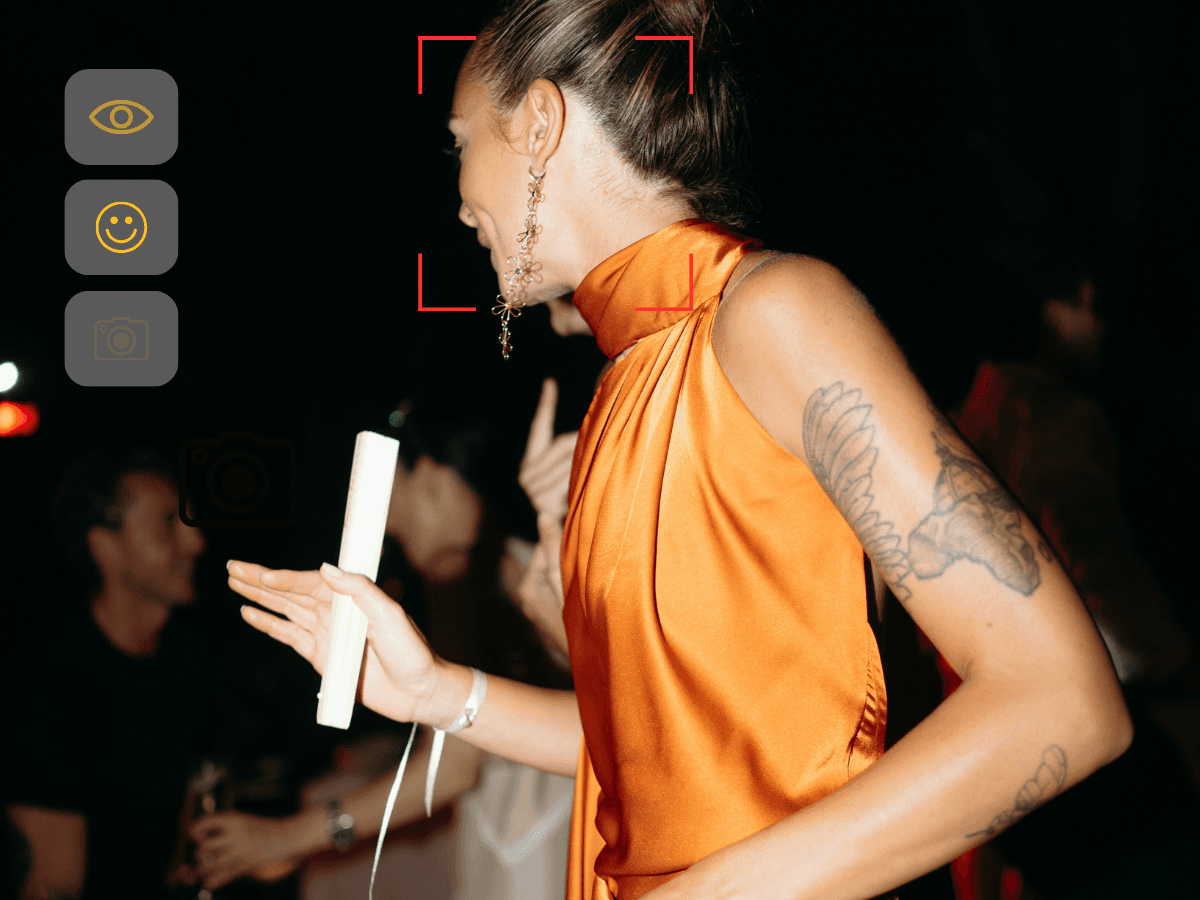
Displays your camera's original focus points directly on the image. Instantly verify if your lens hit the intended target without having to zoom in manually.

Focus points

Displays your camera's original focus points directly on the image. Instantly verify if your lens hit the intended target without having to zoom in manually.

Focus points

Displays your camera's original focus points directly on the image. Instantly verify if your lens hit the intended target without having to zoom in manually.

Grouping

Grouping

AI detects burst shots and near-identical photos, clustering them into neat stacks. Compare similar frames side-by-side and pick your absolute favorite

AI detects burst shots and near-identical photos, clustering them into neat stacks. Compare similar frames side-by-side and pick your absolute favorite

Face features

Face features

Instantly recognizes smiles, closed eyes, and subjects looking into the camera. Filter out unusable shots immediately to keep only the best results.

Instantly recognizes smiles, closed eyes, and subjects looking into the camera. Filter out unusable shots immediately to keep only the best results.

Focus points

Focus points

Displays your camera's original focus points directly on the image. Instantly verify if your lens hit the intended target without having to zoom in manually.

Displays your camera's original focus points directly on the image. Instantly verify if your lens hit the intended target without having to zoom in manually.

Sharpest eye

Face features

Instantly recognizes smiles, closed eyes, and subjects looking into the camera. Filter out unusable shots immediately to keep only the best results.

Always free

Did you know?
Neurapix Culling BETA
is always free.

Did you know?
Neurapix Culling BETA
is always free.
Did you know?
Neurapix Culling BETA
is always free.

Culling is a free feature for every Neurapix user, no strings attached. It's already waiting for you inside our Lightroom Classic plugin.


+20k downloads

Chosen by the very best.

  • Amanda Crean

    Weddings

  • Ethan Jones

    Interiors

  • Jeremy Chou

    Weddings

  • Marc Bremer

    Sport

  • MxM Photo

    Concerts & events

Have more questions?

Have more questions?

What is Neurapix Culling?

Neurapix Culling is an AI-assisted tool for faster image selection. It is part of the free Neurapix plugin for Adobe Lightroom Classic. Photographers can open large quantities of RAW photos with Neurapix Culling and quickly rate or label their images. They are synchronized in real time with the corresponding Lightroom catalog. Neurapix Culling was primarily optimized for usability to provide an ideal foundation for all AI features, which are gradually being released during the current beta phase to further accelerate image selection.

How do I use the AI image selection tool Neurapix Culling?

Neurapix Culling can be started like all other Neurapix functions. After importing your images into Lightroom Classic, simply select all photos from which you want to make your selection. For example, you can select all images within a catalog using Cmd+A or Ctrl+A – but also individual ones. Then go via the usual menu path (Library > Plug-in Extras) and click on "Start Culling". A window opens with a flexible grid view of your photos, which you can adapt to your workflow. First, you can adjust the grid size as you like in order to recognize your images as well as possible. In the settings, you define how your selected images should be marked in Lightroom – with stars, flags, or colors. You can also change the position of the window menu – either above your grid or to the left of it. You can also set the zoom mode individually. Via the menu, you can also select the AI features you want to use for your image selection. For your image selection, simply go through page by page, for example using the arrow keys or with the mouse. Select all photos that should be marked. To work even faster, simply use the keyboard shortcuts, which you can display in the upper left corner of each photo. When you are finished with your image selection, simply click on "Close". Your markings have already been transferred to your Lightroom catalog in real time.

How do I get Neurapix Culling?

Neurapix Culling is automatically included in the Neurapix plugin for Adobe Lightroom Classic. Simply create a Neurapix account and download the free plugin. Run the file to install Neurapix and open Lightroom. Neurapix Culling will be available automatically.

Can I use Neurapix Culling with edited images?

Yes. In the Neurapix Unlimited plan, it is even common practice to first edit all images of an event with the Neurapix AI and then start image selection on the edited photos.

What does Neurapix Culling cost?

Neurapix Culling (Beta) is free and automatically included in the Neurapix plugin for Adobe Lightroom Classic.


Chosen by the very best.

+20k downloads

  • Amanda Crean

    Weddings

  • Ethan Jones

    Interiors

  • Jeremy Chou

    Weddings

  • Marc Bremer

    Sport

  • MxM Photo

    Concerts & events

Chosen by the very best.

+20k downloads

  • Amanda Crean

    Weddings

  • Ethan Jones

    Interiors

  • Jeremy Chou

    Weddings

  • Marc Bremer

    Sport

  • MxM Photo

    Concerts & events

Start with 1,000 free AI edits.

Automate your
daily editing process.

Automate your
daily editing process.

Automate your
daily editing process.

Copyright © 2026 Neurapix GmbH. All rights reserved.