Step 01 — Choose the right plan
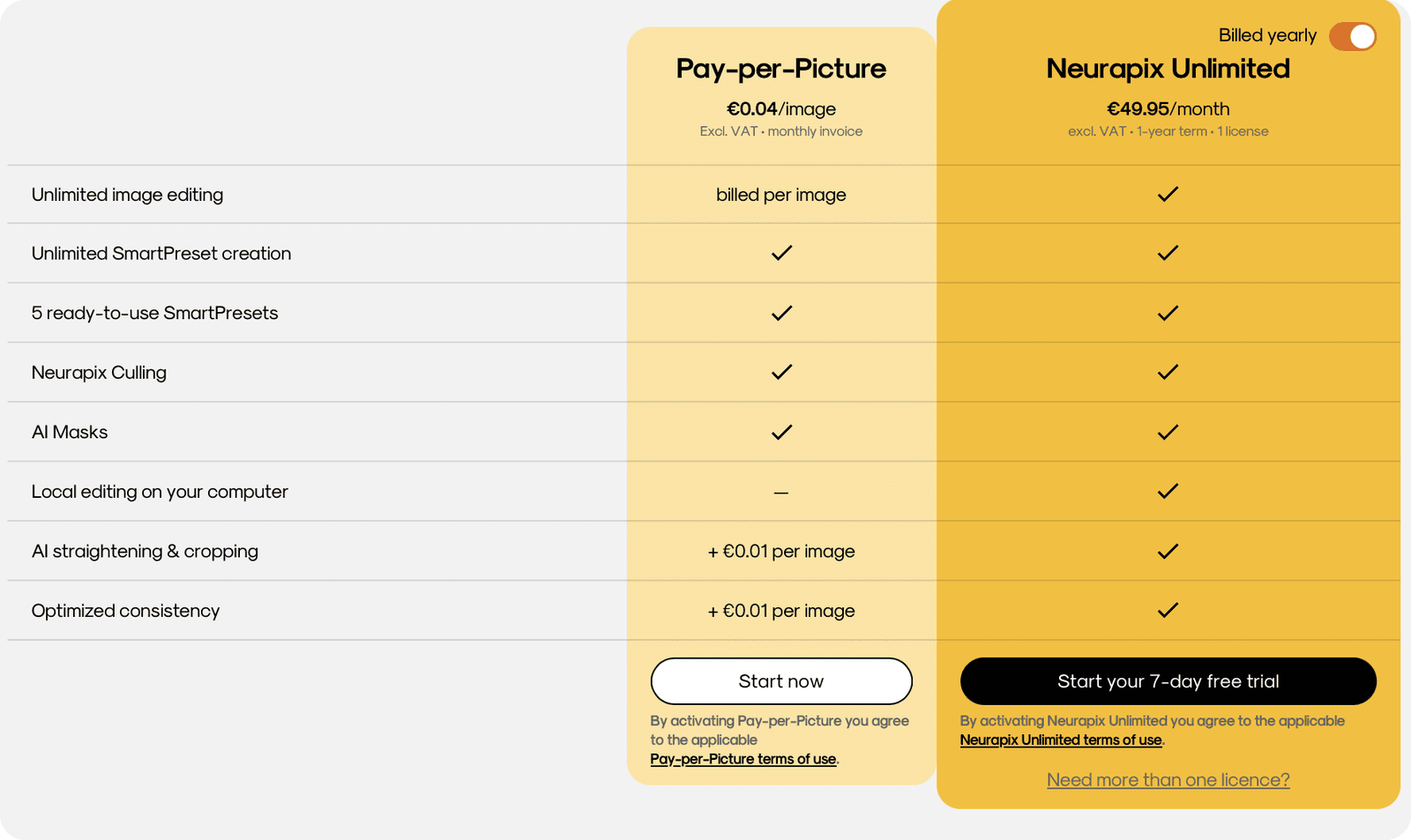
Open the Neurapix user dashboard in your browser and navigate to Account Settings / Plans.
Choose between monthly or annual billing for the Neurapix Unlimited subscription and click “Start your 7-day free trial” to complete the upgrade.
Step 02 — Process photos with the flat rate
Select your images in the Lightroom catalog and start the editing process via the usual Neurapix menu.
Choose your SmartPreset as the editing method — images are now processed through your flat rate at no extra cost per image.
Step 03 — Manage your subscription or switch plans (optional)
You can manage your Unlimited subscription at any time in the browser dashboard.
Switching back to Pay-per-Picture is possible at the end of the current billing period (monthly or annual).
💡 With the flat rate you have full cost control — no matter how many images you process in a month.

Start with 1.000 free AI edits.
Copyright © 2026 Neurapix GmbH. All rights reserved.