Step 01 — Start the selection
Select your images in the Library and start the AI-assisted image selection right from the plug-in menu: Library → Plug-in Extras → Start image selection (Beta).
Step 02 — Adjust view & settings
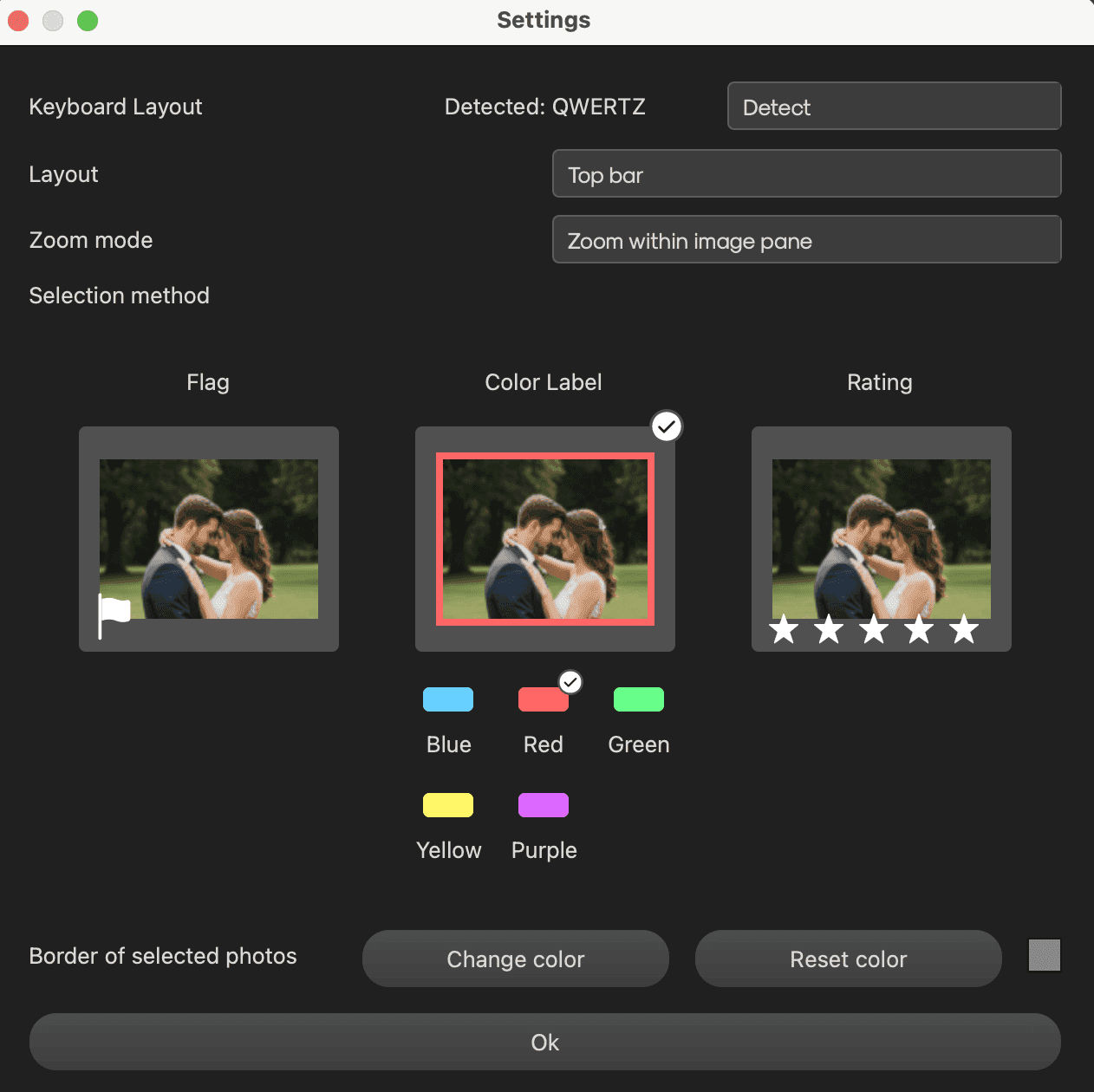
In the settings window, set the layout, zoom mode and your preferred selection method: flag, color label or rating. You can also choose the color used to frame selected photos.
Step 03 — Select at lightning speed
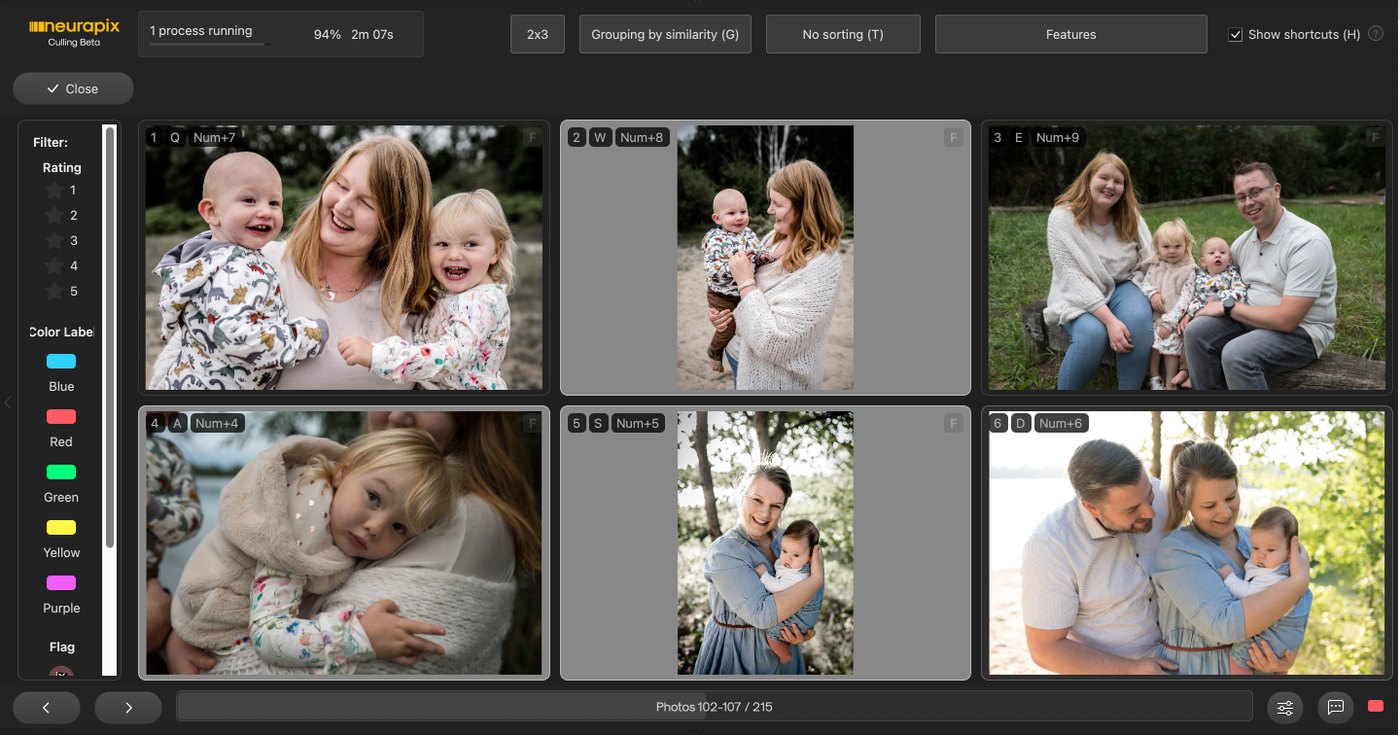
In the culling window, use the AI grouping (e.g. burst series) and rate images with keyboard shortcuts right on the image — without touching the mouse.
💡 Tip: Enable “Show shortcuts (H)” to display the shortcuts directly on the images.
Step 04 — Close & save
Click “Close” when you’re done. All marks are automatically written back to your Lightroom catalog.

Start with 1.000 free AI edits.
Copyright © 2026 Neurapix GmbH. All rights reserved.